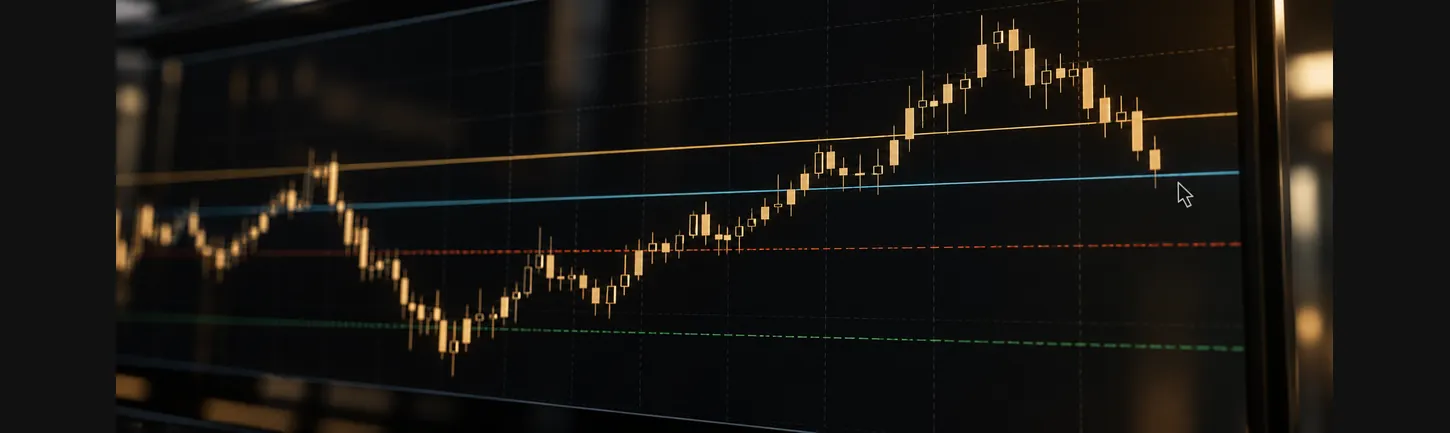
Forex order types decide how and when a trade is executed. A market order fills straight away at the next available price. A limit order waits for a better price, a stop order triggers once price reaches a less favourable level, and a stop-limit order combines both. Each type trades certainty of execution against certainty of price, and none removes the risk of slippage or gaps.
Key takeaways
- Market orders prioritise speed; the filled price can differ from the price on screen.
- Limit orders fix the price or better, but may never be filled.
- Stop orders become market orders once triggered, so they can fill beyond the stop level in fast markets.
- Stop-limit orders, available on MetaTrader 5, add price control to a stop trigger, at the cost of possibly not filling.
Why Order Types Matter
Every trade starts with an instruction to the broker. The order type tells the platform what price is acceptable and when the order is allowed to execute.
Choosing an order type is about trade-offs. Some orders focus on getting filled. Others focus on the price. Understanding the difference helps explain why two traders entering at the “same” moment can end up with different fill prices.
MetaTrader platforms group orders into two families: market orders, which execute now, and pending orders, which wait for a price condition. CMS Prime offers both on MetaTrader 4 and MetaTrader 5.
Market Orders
A market order buys or sells immediately at the most favourable price available when the order reaches the market. Buy orders fill at the ask price and sell orders at the bid price.
- Advantage: execution is fast and, in normal liquid conditions, almost certain.
- Limitation: the fill price is not fixed. During fast markets, the price can move between clicking and filling. This difference is called slippage, and it can be positive or negative.
Market orders are common when getting into or out of a position matters more than the exact price. Spreads also tend to widen in thin or volatile conditions, which affects the fill. CMS Prime’s guide to market liquidity explains why.
Limit Orders
A limit order sets the price at which a trader is willing to trade, or a better one.
- Buy Limit: placed below the current price. It fills if price falls to the limit level or lower.
- Sell Limit: placed above the current price. It fills if price rises to the limit level or higher.
Limit orders give control over price. The trade-off is that price may never reach the level, so the order may remain unfilled. In a very fast move, price can also touch the level briefly without enough volume for a full fill.
Limit orders are also used to close positions at a pre-set target level. On MT4 and MT5, this closing level is labelled “TP” in the order window.
Stop Orders
A stop order triggers once price reaches a level that is less favourable than the current price. After it triggers, it becomes a market order.
- Buy Stop: placed above the current price. It triggers if price rises to that level.
- Sell Stop: placed below the current price. It triggers if price falls to that level.
Traders often use stop orders to enter a trade only if price moves through a level, such as a recent high. This connects closely to breakout analysis, covered in CMS Prime’s breakout trading strategy guide.
Stop-loss orders
A stop-loss is a stop order attached to an open position. It closes the trade if price moves against it to a set level, limiting the size of a loss under normal conditions.
It is important to understand what a stop-loss does not do. Because it becomes a market order when triggered, it can fill at a worse price during gaps or sharp moves. A stop at 1.0950 might fill at 1.0935 if the market jumps. Standard stop-losses carry this execution risk; some brokers offer protected stops with separate terms and fees.
Stop-Limit Orders
A stop-limit order combines a stop trigger with a limit price. MetaTrader 5 offers two versions:
- Buy Stop Limit: when price rises to the stop level, a Buy Limit order is placed at a lower, specified price.
- Sell Stop Limit: when price falls to the stop level, a Sell Limit order is placed at a higher, specified price.
The idea is to wait for price to confirm a move, then enter only on a pullback to a defined level. The downside is that the limit order may never fill if price keeps moving away. MetaTrader 4 does not offer stop-limit orders, which is one of the practical differences between the two platforms.
Forex Order Types Compared
|
Order type |
Where it is placed |
When it executes |
Price certainty |
Fill certainty |
|
Market (buy/sell) |
At current price |
Immediately |
Low: slippage possible |
High in liquid markets |
|
Buy Limit |
Below current price |
When ask reaches the level or lower |
High: at the level or better |
Not certain |
|
Sell Limit |
Above current price |
When bid reaches the level or higher |
High: at the level or better |
Not certain |
|
Buy Stop |
Above current price |
When ask reaches the level, then as a market order |
Low: can fill beyond the level |
High once triggered |
|
Sell Stop |
Below current price |
When bid reaches the level, then as a market order |
Low: can fill beyond the level |
High once triggered |
|
Buy/Sell Stop Limit (MT5) |
Stop above/below price, limit at a set price |
Limit order placed after the stop triggers |
High: at the limit or better |
Lower: may never fill |
Order Duration and Expiry
Pending orders on MetaTrader can carry an expiry setting:
- Good till cancelled (GTC): stays active until filled or deleted.
- Today: cancels at the end of the trading day.
- Specified time or date: expires at a set moment.
MT5 also supports fill policies, such as Fill or Kill (the whole order fills immediately or is cancelled) and Immediate or Cancel (any available volume fills and the rest is cancelled). Availability depends on the instrument and account configuration.
Risks That Apply to Every Order Type
No order type removes market risk. These factors affect all of them:
- Slippage. Market and stop orders can fill away from the requested level in fast conditions.
- Gaps. When markets reopen after weekends or holidays, price can jump past pending levels. Holiday closures are listed on the CMS Prime forex holiday schedule.
- Spread widening. Around news and the daily rollover, spreads can widen and trigger orders earlier than expected, because sell stops use the bid and buy stops use the ask.
- Minimum distance rules. Brokers often set a minimum distance between the current price and a pending order or stop-loss. This appears as the “stops level” in the symbol specification.
- Leverage. The order type does not change the size of the exposure. Leverage magnifies gains and losses whichever order is used.
News events are a common source of slippage and gaps. CMS Prime’s guide to trading during news events looks at this in more detail.
How Order Types Connect to Execution Models
How a broker processes orders also affects fills. Some route orders to external liquidity providers, while others act as the counterparty. Factors that affect execution quality are covered in what makes a good trading environment. Traders using automated systems can also connect through CMS Prime’s FIX APIs and bridges.
Frequently Asked Questions
What is the difference between a market order and a limit order? A market order executes immediately at the next available price, so the fill price can vary. A limit order executes only at a specified price or better, so the price is controlled but the order may not fill. The choice reflects whether speed or price matters more for that trade.
What is the difference between a Buy Stop and a Buy Limit? A Buy Limit is placed below the current price and fills if price falls to it. A Buy Stop is placed above the current price and triggers if price rises to it. The first waits for a lower price; the second waits for upward movement to confirm.
Does a stop-loss always close at the exact level? No. A standard stop-loss becomes a market order when price reaches its level, so it fills at the next available price. In gaps or fast markets, that price can be worse than the stop level. This is known as slippage.
Is a stop-limit order available on MT4? No. Stop-limit orders, called Buy Stop Limit and Sell Stop Limit, are available on MetaTrader 5 but not on MetaTrader 4. MT4 offers market orders and four pending order types: Buy Limit, Sell Limit, Buy Stop and Sell Stop.
Why was my pending order not filled when price touched it? Common reasons include price touching the level on the other side of the spread, too little volume at that price, or a very brief spike. Buy orders use the ask and sell orders use the bid, so chart prices may differ from the execution side.
Can pending orders expire? Yes. On MetaTrader, pending orders can be set as good till cancelled, valid for the day, or valid until a specific time and date. Once the expiry passes, an unfilled order is removed automatically.
Conclusion
Forex order types give traders control over how trades are executed. Market orders favour speed, limit orders favour price, stop orders trigger on movement and then fill at market, and stop-limit orders on MT5 add price control to a stop trigger. Each has a clear trade-off between fill certainty and price certainty, and all are exposed to slippage, gaps and spread changes. CMS Prime’s MT4 and MT5 platforms support these order types, and practising on a demo account shows how each behaves in live price conditions.
Risk warning: Trading in financial instruments such as Forex, CFDs, and derivatives involves a high level of risk and may not be suitable for all investors. Past performance is not indicative of future results.
Sources
- MetaTrader 5 Help — Types of orders
- MetaTrader 5 Help — Trading platform user guide